_1779606969667-ZJZA6fNi.png)
_1777949319555-DTVd6WJp.png)
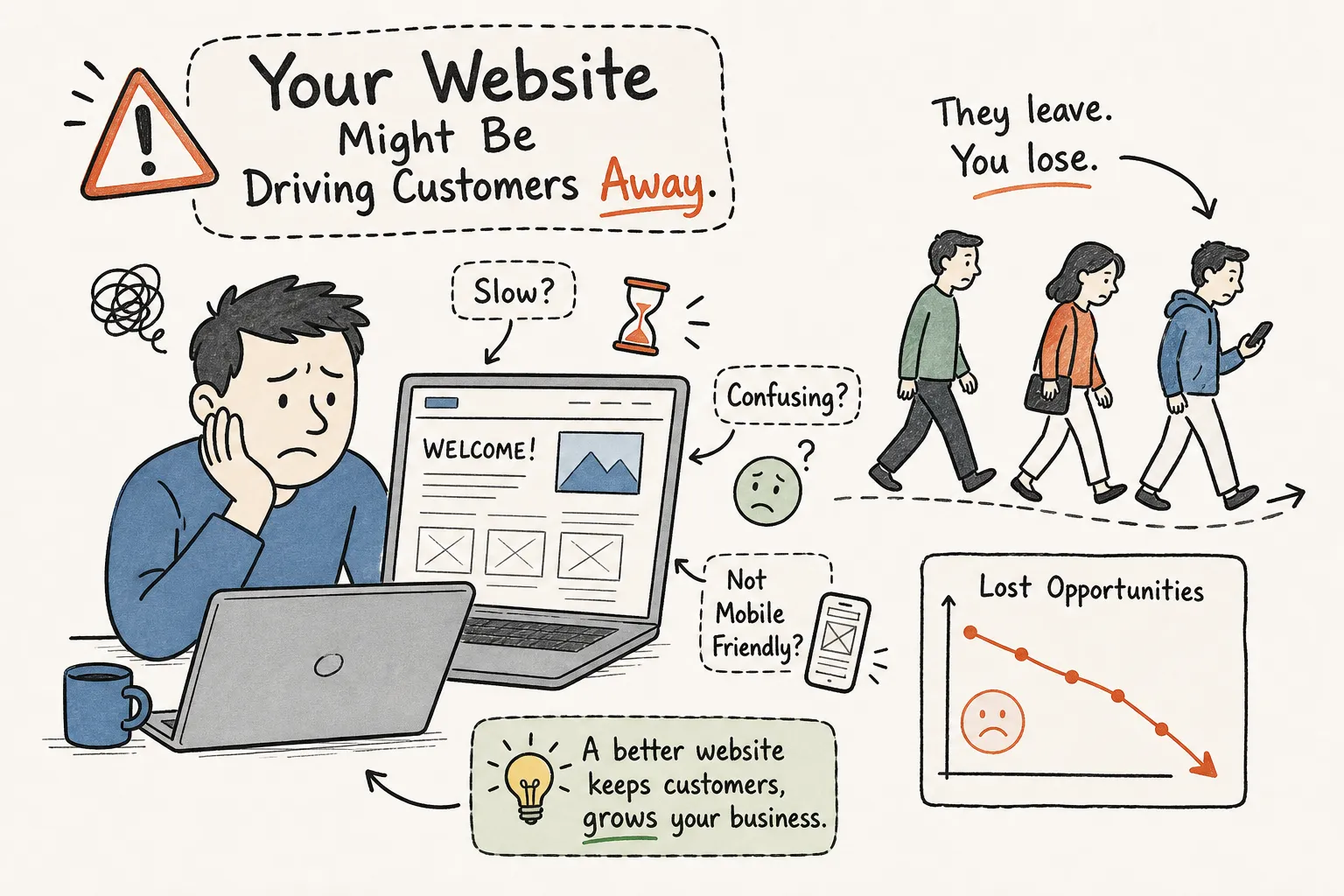
Most NZ small business owners assume their website is doing its job simply because it exists. It isn't. If you've ever wondered what are the signs my website is costing me customers, the honest answer is that those signs are rarely obvious. A poorly performing website doesn't announce itself with an error message or a flashing warning sign. It just quietly turns visitors away and sends them to whoever shows up next in Google.
At Fairweb, we review dozens of small business websites every month, and the same costly problems come up again and again. Slow mobile pages. Vague headlines. Broken contact forms that have been silently failing for weeks. These aren't rare edge cases — they're the norm for NZ small business sites that haven't had a proper review.
This article helps you diagnose those problems yourself. By the end, you'll be able to run a focused 30-minute self-audit, identify the two or three biggest website performance issues on your site, and know when to bring in a specialist rather than patching things yourself.
Start with the numbers
Before you start guessing what's wrong, look at the data. Two numbers tell you the most, the fastest: bounce rate and load time. Both are visible in Google Analytics and Google Search Console, and both give you a direct read on whether visitors are engaging or leaving — or whether your site is quietly losing customers.
Bounce rate is simpler than it sounds. A visitor landed on your page, saw something that didn't meet their expectation, and left without clicking anything. That's a bounce. For a service business homepage, a bounce rate above 70% is a warning sign worth investigating. A healthy target for a NZ service site is below 50%, with 30 to 35% being genuinely strong.
High bounce rates have three main causes: the page doesn't match what the visitor searched for, the page loads too slowly, or the visitor can't find what they need within the first few seconds. In most cases it's a combination of all three. Each one is diagnosable and fixable once you know which one you're dealing with. Research into why website users drop off shows how small friction points quickly translate into lost enquiries.
Load time is the other number to watch. The benchmark is straightforward: under three seconds on both desktop and mobile, with one to two seconds being the target for pages that are meant to convert. Research from Google indicates a page that loads in one second can convert up to three times better than one that takes five seconds, and each extra second on mobile can reduce conversions by up to 20%. Industry analysis on how page speed impacts conversions and how page speed affects user behaviour reinforces just how much this matters.
Mobile is where most NZ small business sites fall short. Images and plugins that feel fine on a desktop broadband connection become sluggish on a mobile network. Google's mobile-first indexing makes this a ranking issue as well as a conversion issue: your mobile performance now directly affects where you appear in search results.
Mobile experience problems that push visitors away
Around half of mobile users will abandon a site that isn't properly responsive. Mobile conversion rates average roughly 2% compared to nearly 4% on desktop, and that gap isn't because mobile users are less serious. It's because most sites make them work harder.
A poor mobile experience looks like this: text that requires zooming to read, buttons placed so close together that tapping the wrong one is almost guaranteed, enquiry forms that are frustrating to fill out on a small screen, and hero images so large they push all the useful content below the fold. These aren't subtle problems. They're the kind of friction that kills an enquiry in under ten seconds.
Even a site that's technically 'mobile responsive' can still have serious conversion problems on a phone. Mobile visitors are often searching on the go, they make decisions faster, and they're less forgiving of friction than desktop users. If your phone number isn't visible without scrolling, or your call-to-action button sits below three paragraphs of company history, you're losing enquiries that should have been yours.
Here's a quick way to test it right now: pull up your site on your own phone and try to find your contact number within five seconds. Then try to fill out the enquiry form. If either of those tasks feels annoying, your visitors feel it too. Also run your URL through Google's free PageSpeed Insights tool and check the mobile tab. Aim for a score of 70 or above, with 90+ being the target for a high-converting service site.
Weak messaging that loses visitors in seconds
Plenty of NZ small business websites look fine visually but still don't generate enquiries. The reason is usually messaging. A visitor decides whether to stay or leave within about three seconds of landing on your homepage, based on three questions: What is this? Is it for me? What do I do next? If your homepage doesn't answer all three immediately, most visitors won't stay to find out.
A homepage that opens with a business name and the tagline 'Driven by Excellence Since 2008' answers none of those questions. Neither does one where the only visible call to action is buried below the fold after three paragraphs about company values.
The difference between a weak headline and a strong one comes down to specificity. 'Welcome to ABC Plumbing' tells a visitor nothing useful. 'Auckland plumber available same-day for urgent leaks and blocked drains' tells them exactly what they need to know and who it's for. Your call to action should appear above the fold, repeat after each key section, and use direct language: 'Get a free quote' consistently outperforms 'Submit' across every kind of site.
Design matters too. A website that looks like it was built in 2014 sends a signal before a visitor reads a single word — that the business either doesn't care about its online presence, or isn't doing well enough to update it. Neither is the impression you want to make. Design expectations shift roughly every three to five years, and service businesses with well-structured, current websites typically convert at 4 to 5%. For a deeper look at balancing copy and visuals, read our piece on why website content matters as much as design.
Technical issues silently blocking enquiries
Some of the most damaging website performance issues aren't visible at all. Broken contact forms, 404 error pages, expired SSL certificates, and dead links don't show up when you browse your own site casually. They show up when a potential customer tries to get in touch and can't.
A broken contact form is the worst of these. It creates zero visible error for the business owner while stopping every enquiry cold. You can be losing leads from a broken form for weeks without any indication something is wrong. The same applies to 404 errors from outdated links in old blog posts, Google Business Profile listings, or social profiles pointing to pages that no longer exist. For practical tips on form best practice, this NZ-focused guide on how web forms boost NZ small business conversions is worth a look.
The only way to know your contact form is working is to submit it yourself, using a real email address, and confirm the notification arrives in your inbox rather than your spam folder. Do this monthly, and always after any plugin update, hosting change, or website edit. For 404 errors, Google Search Console will show you which pages are returning errors so you can fix or redirect them.
An SSL certificate keeps your site secure and tells browsers to display the padlock icon in the address bar. When it expires, or was never set up correctly, visitors see a 'Not Secure' warning before they even reach your homepage. Most people click away immediately. Hosting providers don't always auto-renew SSL certificates, so check your certificate expiry date and make sure auto-renewal is active.
A self-audit you can run in under 30 minutes
You don't need technical skills to run a useful audit on your own site. You need a clear sequence and a willingness to look at your site the way a first-time visitor would, not the way someone who built it would. Think of it as a basic website conversion checklist for your own business. For a companion checklist, see our guide to what to include on a small business website.
Most business owners who do this find at least two or three problems they didn't know existed. That's not a failure; it's the point of the exercise. Work through these steps in sequence:
- Load speed: Run your URL through PageSpeed Insights (free, no login required). A slow site undermines every other improvement you make.
- Mobile usability: Test on your own phone. Can you find the phone number and fill out the form without frustration?
- Contact form delivery: Submit the form using a real email address and confirm the notification lands in your inbox, not spam.
- 5-second homepage test: Can a stranger tell what you do, who you serve, and what to do next within five seconds?
- Crawl errors and 404s: Open Google Search Console and check for pages returning errors.
- SSL certificate: Confirm the padlock is showing and auto-renewal is active on your hosting account.
- Calls to action: Is there a clear next step visible above the fold on your homepage, service pages, and contact page?
- Trust signals: Are reviews, credentials, or client logos visible without scrolling? Absent trust signals are a quiet but consistent conversion killer.
When to bring in a specialist
This order matters. Fixing a broken form delivers an immediate return. A messaging overhaul takes longer and requires more thought. Fix the quick wins first, then work up to the structural issues. Some problems are genuinely hard to spot from inside the business — poor content hierarchy, weak page structure, missed keyword opportunities, and conversion flow issues often require an outside perspective. If you've run the audit and still aren't confident in what you found, or if your site hasn't generated a meaningful enquiry in the past month, that's a clear signal an independent review is needed.
A professional audit goes deeper than a self-check can. It covers conversion flow analysis, content clarity, SEO structure, and technical performance at a level that requires both experience and the right tools. Fairweb reviews your site's mobile performance, page speed, contact form function, homepage messaging, and conversion structure, then delivers a prioritised list of what to fix and in what order. It's not a 40-page technical report — it's a plain-language summary of what's working, what isn't, and what to do first. There's no obligation attached.
Sometimes an audit reveals that individual fixes aren't the right answer. If a site has overlapping problems — an outdated design, no SEO foundation, poor mobile performance, and a structure that doesn't guide visitors toward an enquiry — patching each issue separately often costs more time and money than building from a solid base. Our website redesign and optimisation work for NZ small businesses is built around one outcome: generating real enquiries, not just producing a site that looks better.
A website that isn't generating enquiries isn't a mystery. It's a collection of identifiable, fixable problems across four areas: performance data, mobile experience, messaging and trust, and technical health. Run the 30-minute self-audit above, identify the two or three biggest problems, fix what's within reach, and get a specialist involved for the rest.
Every week a broken contact form or a slow mobile page goes unfixed is a week of enquiries going to a competitor. If you'd like a clear picture of where your site stands and what it's costing you, get in touch with Fairweb for a no-obligation website review — just a straight, plain-language assessment of what to fix first. You'll also find more practical advice on the Fairweb blog.
Frequently Asked Questions
How can I tell if my website is costing me customers?
Start with the data: check bounce rate and load time in Google Analytics and Google Search Console. High bounce rates or slow load times are the quickest indicators that visitors are leaving or not engaging, even if there are no visible errors on the site.
What bounce rate should a NZ service business aim for?
For a service business homepage, a bounce rate above 70% is a clear warning sign. A healthy target for a NZ service site is below 50%, with 30 to 35% being genuinely strong.
How fast do my pages need to load to keep visitors and convert?
Aim for under three seconds on both desktop and mobile, with one to two seconds as the target for pages meant to convert. Research shows a one-second load can convert up to three times better than five seconds, and each extra second on mobile can reduce conversions by up to 20%.
Why is mobile experience such a common problem for NZ small business sites?
Many NZ sites are built for desktop and become sluggish or unusable on mobile due to large images and plugins; mobile networks make these issues worse. Mobile-first indexing also means poor mobile performance hurts search rankings as well as conversions.
What mobile UX problems most often push visitors away?
Common issues include text that requires zooming, buttons placed too close together, enquiry forms that are hard to complete on small screens, and oversized hero images that push useful content below the fold. These friction points cause roughly half of mobile users to abandon a site.
How do I run a focused 30-minute self-audit to spot the biggest issues?
In 30 minutes, check bounce rate and load time in Google Analytics and Google Search Console, view key pages on a real mobile device, and test your main contact and enquiry forms and core calls to action. That will usually reveal the two or three biggest problems — performance, mismatched messaging, or broken forms.
When should I bring in a specialist instead of fixing the site myself?
If you can't isolate the top issues in a short audit, if fixes require deep performance optimisation or code changes, or if forms and tracking have been silently failing, it's time to call a specialist. Fairweb finds these are common problems that often need expert attention rather than quick patches.
Related Service
Website Redesign & Optimisation
See how Fairweb supports New Zealand small businesses with website redesign & optimisation.
Learn more